Introduction
Aaj ke time me AI tools ki madad se har kaam easy ho gaya hai. Ab aap bina designer hire kiye sirf AI ki help se professional wedding card bana sakte hain. Is article me hum step-by-step dekhenge ki Chat GPT AI se wedding card kaise banaye aur usse download kaise karein.
Chat GPT Kya Hai?
ChatGPT ek AI chatbot hai jo text generate karta hai. Iski madad se aap wedding card ka content, shayari, invitation message aur design ideas le sakte hain.
Step 1: Wedding Card Ka Content Generate Kare
Sabse pehle ChatGPT me ye prompt likhe:
“Hindu wedding ke liye traditional Hindi wedding invitation card message likho, jisme bride aur groom ka naam ho aur date bhi add karo.”
AI aapko ek ready invitation message de dega.
Step 2: Wedding Card Design Ka Idea Le
Aap ChatGPT se design style bhi puch sakte hain:
Example:
“Royal red and gold theme me Indian wedding card design idea do.”
AI aapko:
Color combination
Font style
Decoration ideas
Background theme
Sab kar ke dega
Agar aap couple image AI se banana chahte hain to use kar sakte hain:
Prompt Example:
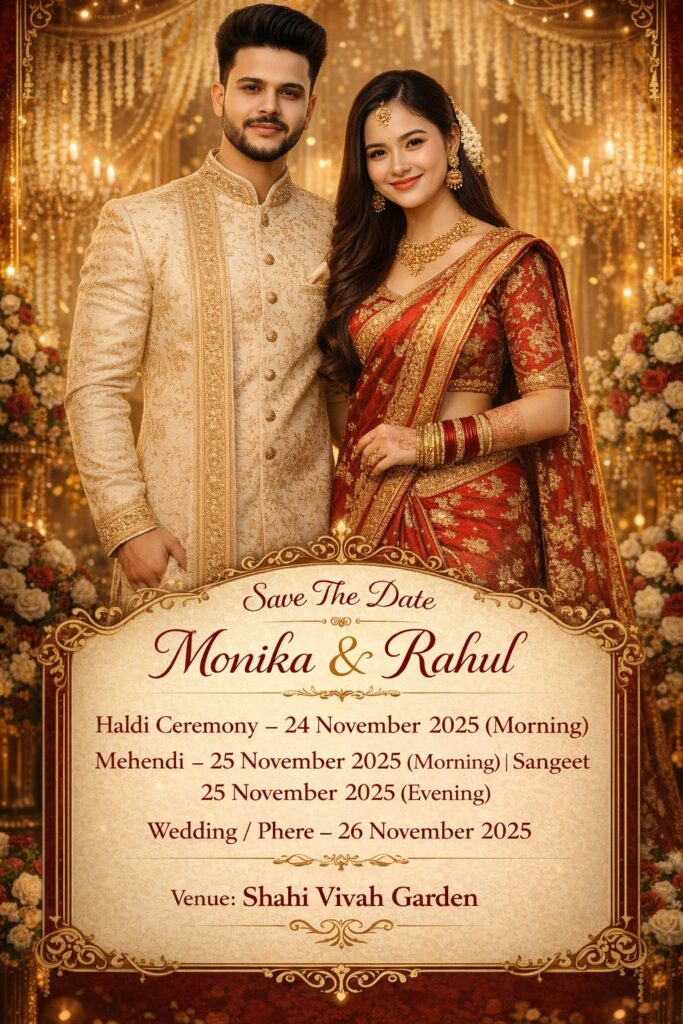
Create a realistic Indian Save The Date wedding invitation poster in a luxurious red, gold, and cream theme, with a 9:16 aspect ratio. Use the uploaded image as the face reference for both the bride and groom, keeping their exact facial details, smiles, and skin tones identical to the reference photo. Do not stylize or change their faces. The couple is standing side by side in front of an elegant golden wedding stage decorated with roses, chandeliers, marigold garlands, and warm fairy lights. The groom is wearing a cream sherwani with golden embroidery, and the bride is wearing a traditional red bridal saree with golden borders, jewelry, bangles, and a maang tikka. Both are smiling warmly toward the camera. The background should feature soft golden bokeh lighting and floral arrangements, giving a premium, cinematic, and festive look suitable for an Indian wedding shoot. At the top, include editable wedding text in elegant calligraphy fonts as follows:
‘Save The Date [Monika Rahul]
Haldi Ceremony – [24 November 2025 (Morning)]
Mehendi – [25 November 2025 (Morning)] Sangeet – [25 November 2025 (Evening)]
Wedding / Phere – [26 November 2025]
Venue: [Shahi Vivah Garden]’
Ensure the text area remains editable later so that names, dates, and venue can be easily changed. Maintain cinematic warm lighting, realistic facial details, and a grand festive color tone throughout the image
Chat GPT se Wedding Card Banane Ke Liye Ye Step Follow Kre👇👇👇
Step 1.
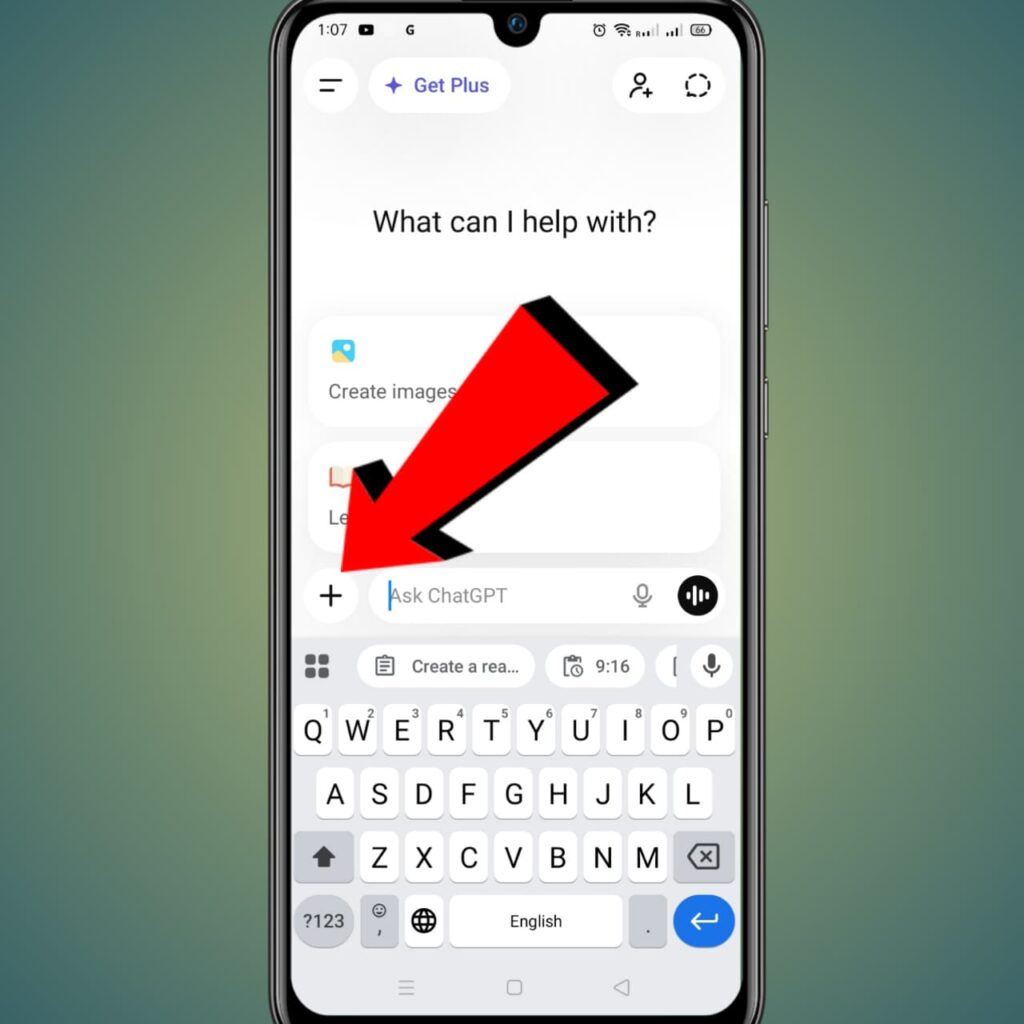
Apne Mobile Ya Computer Me Chat GPt App Ya Web Ko Open Karna Hai. Jo Ki Aap Niche Dekha Sakhte Hai.
Yaha par aapko + option dikhai de raha hai yaha par click karna hai.
Step 2.
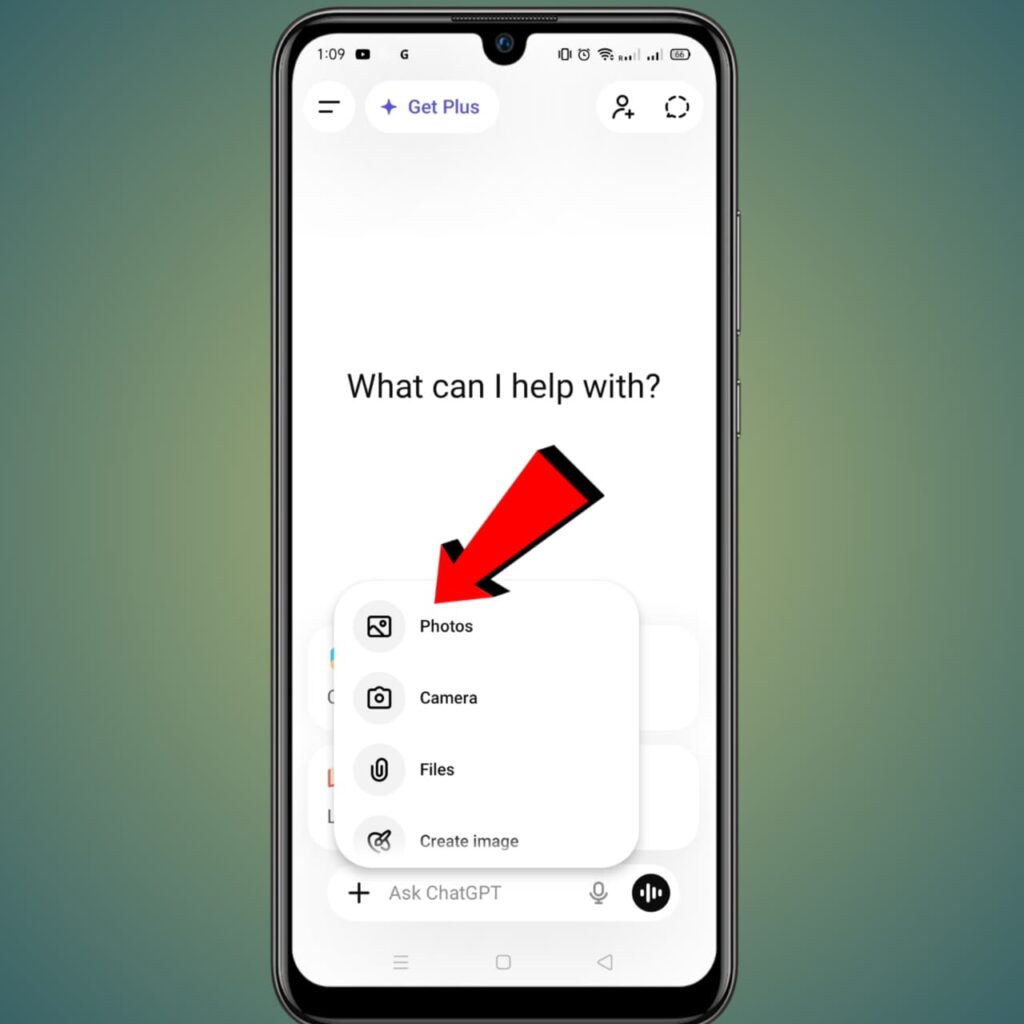
CHAT GPT app me aapko yaha par PHOTOS option dikhai de raha hai yaha par Click karna hai.
Step 3.
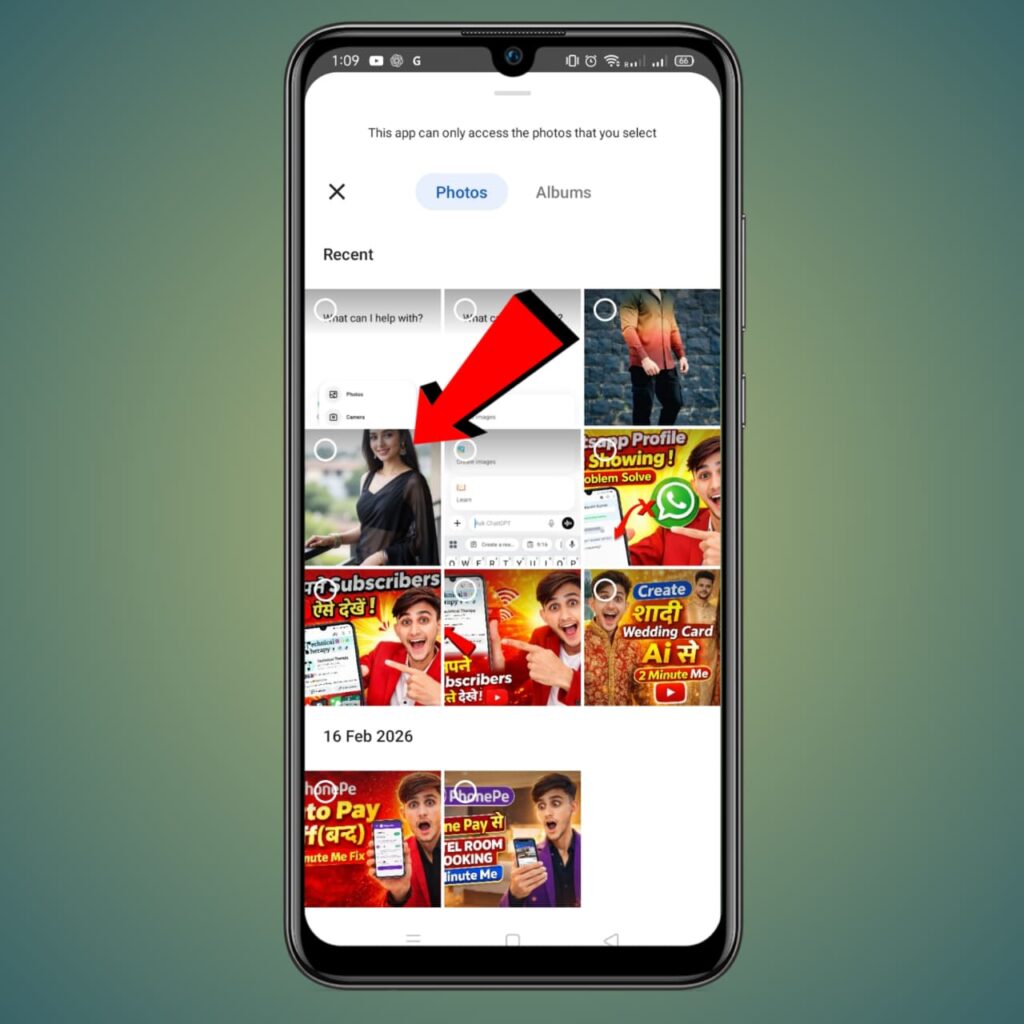
New page me aapke mobile me gallery open ho jayegi yaha par jis couples Photo ka wedding Card banana hai Us photo ko slecte karna hai. Jis taraha se mene select kiya hai.
Step 4.
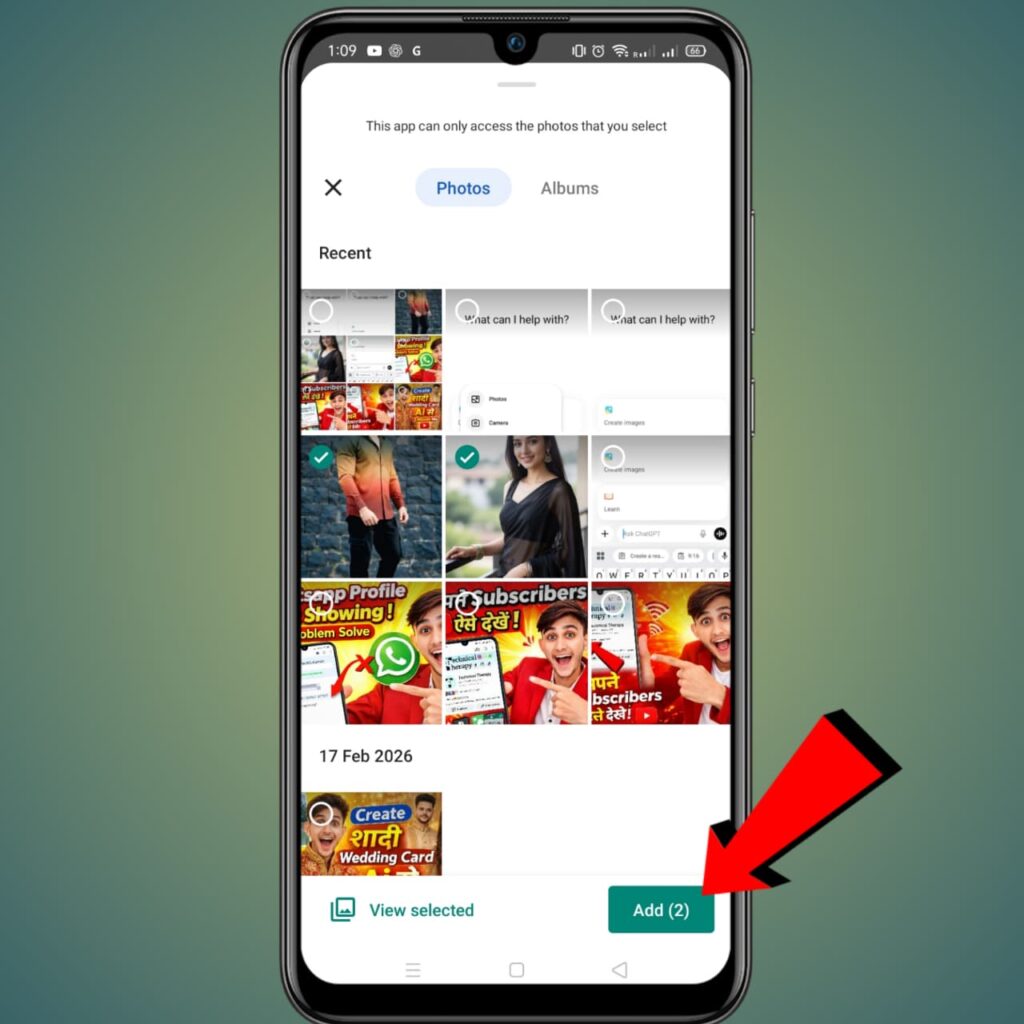
Photos Select Karne ke bad aapko niche ADD Photo ka option Dikhai de raha hoga Us par click karna hai
Step 5.
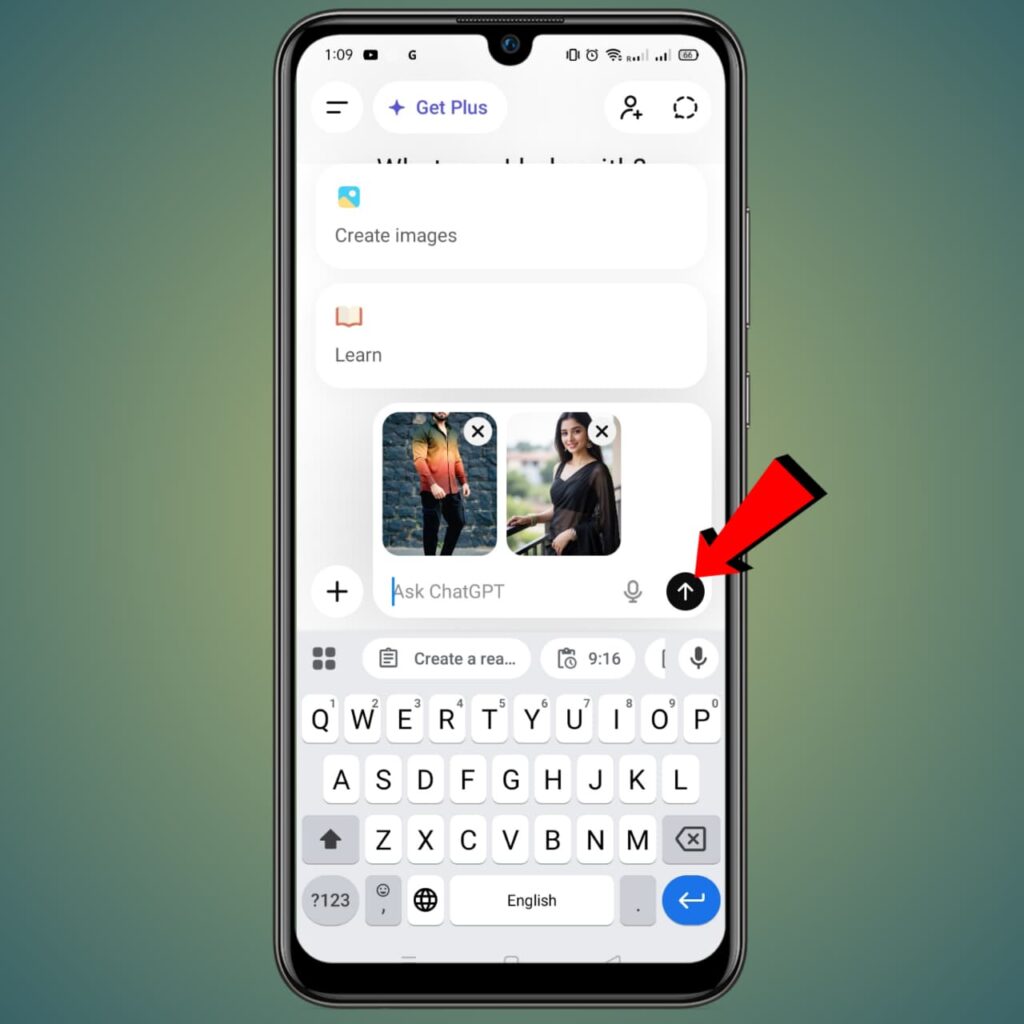
Aap dekha skhate ho 2 Photo Add ho gye hai niche aapko 1 Prompt Tipe karni hogi Jis Taraha se mene jo prompt type ki hai Aap niche photo me dekha skte hai.
Step 6.
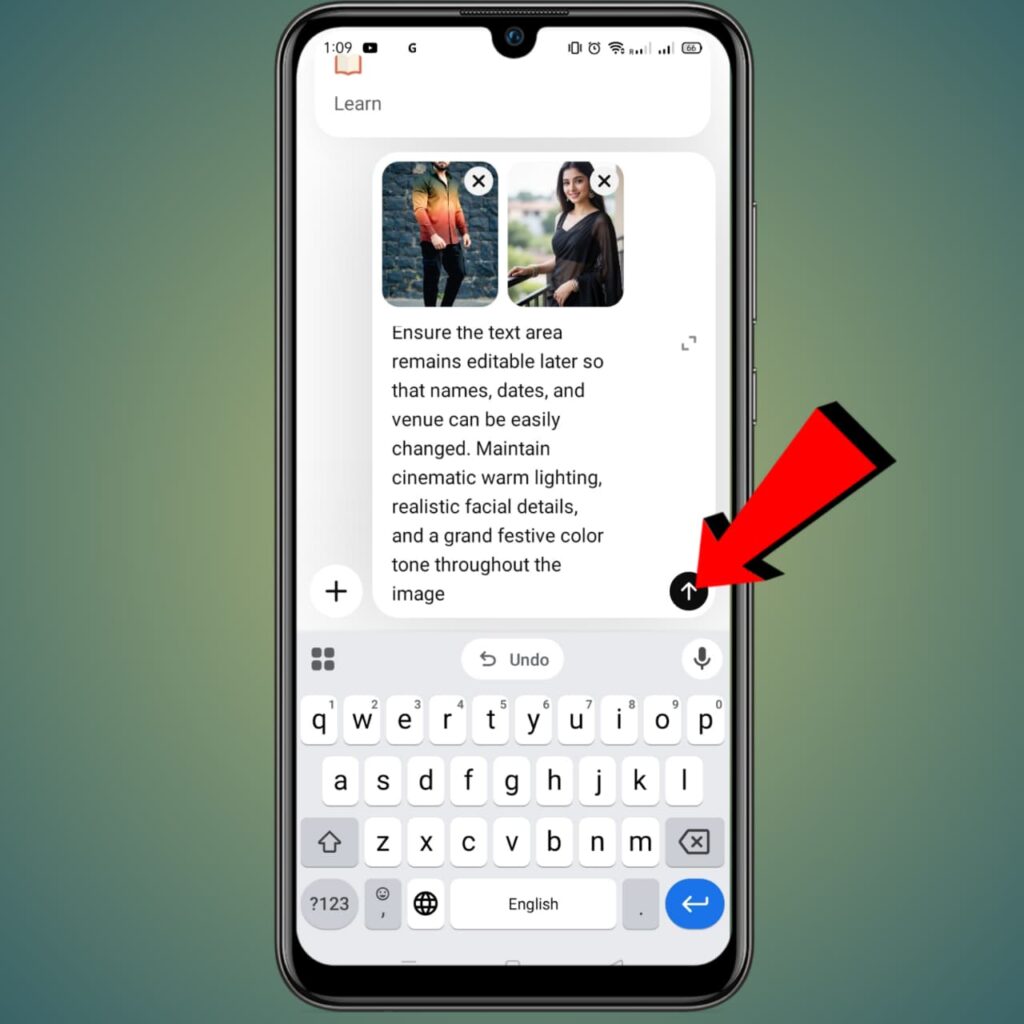
Yaha Dekha skte hai mene prompt Type ki hai Prompt Type karne ke bad Aapko send option par click karna hai { Agar aapko prompt chaiye to mene Upar prompt Copy kar di hai aap upar jake prompt copy kar skte hai. }
Step 7.
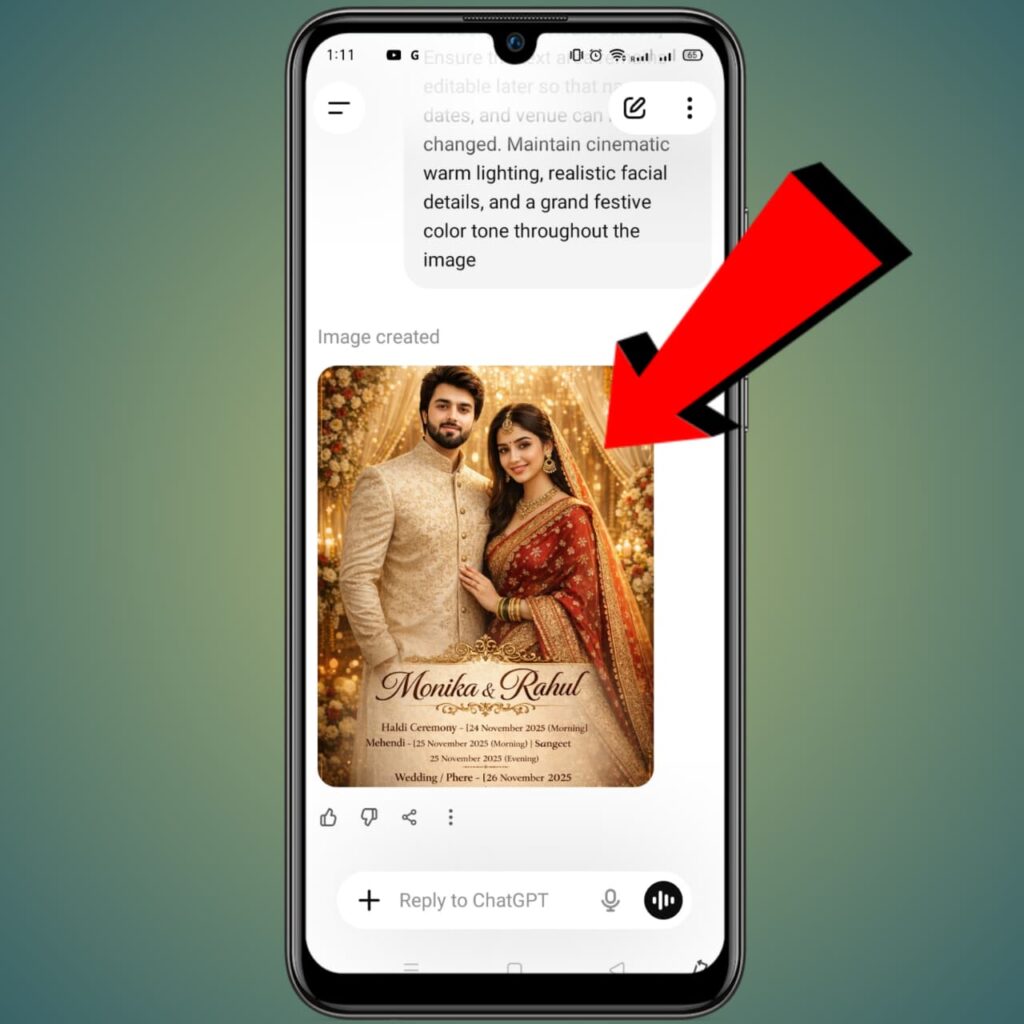
Yaha par aap dekha skte hai CHAT GPT aapko Es taraha ka Wedding Card Bana Kr de dega or aapko Wedding Card Par click karna hai .
Step 8.
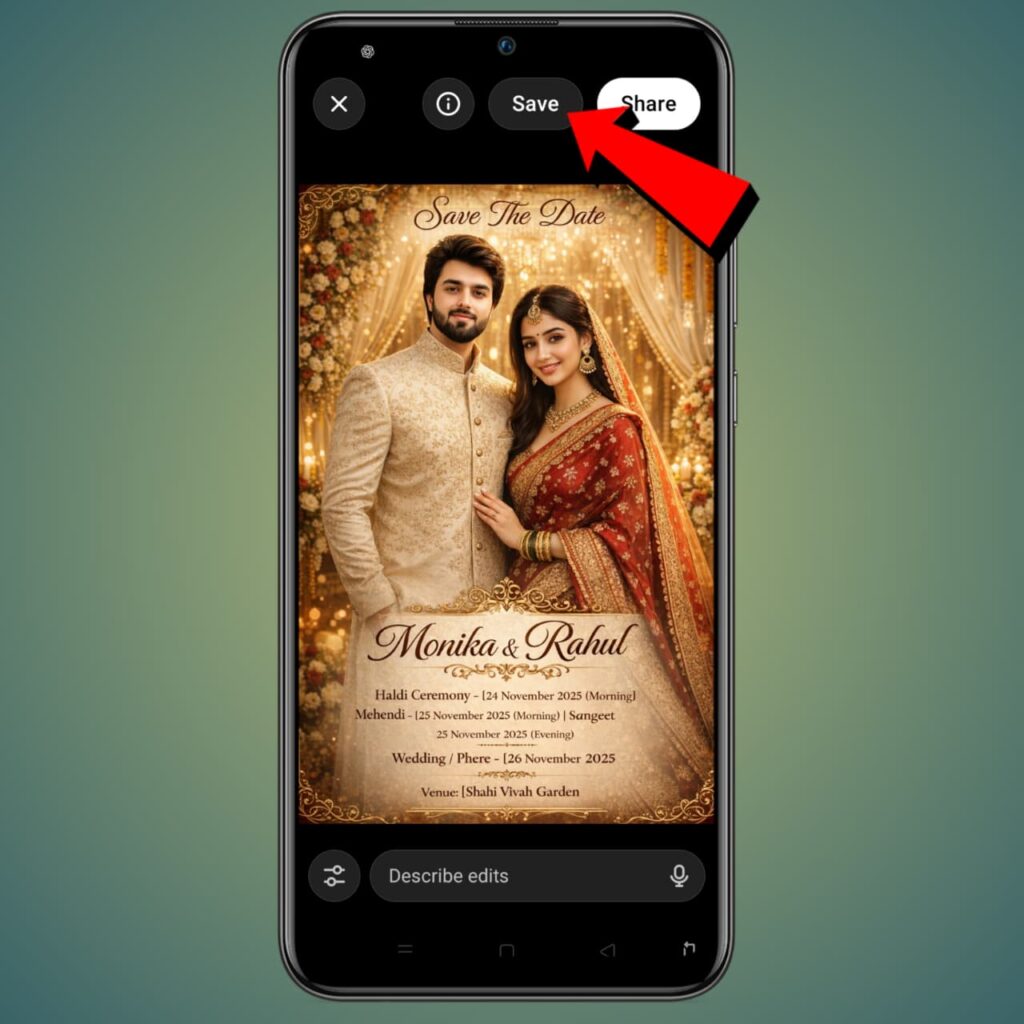
Yaha par aapko uper Save Option par click karna hai Save par click karte hi aapka wedding card aapki gallery me save ho jayega.
AI tools ki madad se ab wedding card banana bahut hi easy ho gaya hai. Aap sirf 5–10 minute me professional looking card bana sakte hain
Youtube par mera video bhi hai vaha par jake bhi aap dekh skte hai. 👇👇👇